Executive Overview: Best Practices for Hosting AI Applications
This guide outlines best practices for each approach and provides a framework for aligning your organization's workload needs with the optimal solution.

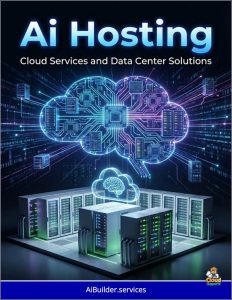 As AI transforms business operations, from predictive analytics to customer service automation, choosing the right hosting strategy is crucial for efficiency, cost control, and competitive advantage.
AI applications require robust computing power, often involving massive data processing and specialized hardware like graphics processing units (GPUs).
Hosting options range from cloud-based hyperscalers—Amazon Web Services (AWS), Microsoft Azure, and Google Cloud Platform (GCP)—to on-premise data centers built with vendors like Nvidia.
This guide outlines best practices for each approach and provides a framework for aligning your organization’s workload needs with the optimal solution. By understanding these options, executives can make informed decisions that balance innovation with risk management.
Leveraging Hyperscalers for AI Hosting
Hyperscalers offer scalable, on-demand infrastructure, making them ideal for organizations seeking rapid deployment without heavy upfront investments. These platforms provide pre-built AI tools, such as machine learning frameworks and data analytics services, allowing teams to focus on application development rather than hardware management.
AWS excels in a broad ecosystem for AI, with services like SageMaker for model building and Bedrock for generative AI. Best practices include adopting a DevOps approach for continuous integration and deployment, which streamlines workflows and reduces time-to-market. To optimize costs, use reserved instances for predictable workloads and spot instances for flexible ones, potentially saving up to 90% on compute. Security is enhanced through built-in compliance tools, but integrate with existing systems to avoid silos.
Azure integrates seamlessly with Microsoft tools like Office 365, making it suitable for enterprises with Windows-based environments. Key practices involve using Azure AI Studio for model training and Azure Arc for hybrid management, ensuring consistent operations across clouds. Focus on cost-effectiveness by monitoring usage with Azure Cost Management and scaling via autoscaling features for variable demands. For AI-driven analytics, leverage partnerships like with OpenAI for advanced capabilities.
GCP stands out for AI and data-heavy workloads, with Vertex AI and BigQuery enabling efficient model deployment. Emphasize Kubernetes-based Anthos for multicloud consistency, which simplifies management. Best practices include evaluating pricing for straightforward models and prioritizing AI/ML integration for automation. GCP’s Tensor Processing Units (TPUs) offer cost-efficient performance for training large models.
Across hyperscalers, common best practices include assessing integration with your current tech stack, embracing multi-cloud strategies for redundancy, and conducting regular audits for security and compliance.
Pros include scalability, lower initial costs (pay-as-you-go), and access to global data centers for low-latency operations. However, potential cons are vendor lock-in, ongoing expenses, and data transfer fees. For startups or variable workloads, hyperscalers reduce barriers to entry, but monitor for escalating costs at scale.
Building On-Premise AI Data Centers
On-premise hosting involves constructing or upgrading internal data centers, often using Nvidia’s GPUs and software stacks for tailored AI performance. This approach suits organizations with sensitive data or predictable, high-volume workloads requiring low latency.
Nvidia’s ecosystem, including DGX systems and Hopper architecture, provides full-stack solutions for AI factories—purpose-built facilities with GPU clusters, high-speed networking, and storage. Best practices start with designing for scalability: Use Nvidia’s Base Command Manager for cluster management and integrate with Kubernetes for orchestration. Focus on efficient cooling and power distribution, as AI demands can exceed 50-100 MW per facility. Employ NVLink or InfiniBand for low-latency data transfer, and leverage GPUDirect Storage for direct GPU access to data, minimizing bottlenecks.
Security is a strength: Implement NIST guidelines for hardening AI infrastructure, including access controls and monitoring. For deployment, use Nvidia NIM microservices for quick setup of optimized models. Pros include full data control, cost predictability after initial investment, and customization for specific needs like real-time inference. Cons involve high upfront capital (CAPEX), maintenance expertise, and slower scaling compared to cloud.
Hybrid models blend on-premise with cloud, using tools like Nvidia AI Enterprise for seamless workflows. This is ideal for regulated industries, where on-premise handles core data while cloud manages overflow.
Mapping Workload Requirements to the Best Fit
To choose between options, evaluate workloads based on key factors. Start with scalability: Cloud suits dynamic, unpredictable demands like seasonal AI analytics, while on-premise fits stable, intensive tasks like model training.
Consider security and compliance: If data is highly sensitive (e.g., healthcare or finance), on-premise offers better control; cloud provides robust tools but requires trust in providers. Latency-sensitive applications, such as real-time fraud detection, favor on-premise for faster response.
Cost analysis is essential: Cloud’s OPEX model (pay-per-use) benefits variable workloads, but on-premise CAPEX can yield long-term savings for large-scale operations. Perform a total cost of ownership (TCO) assessment, factoring in hardware, energy, and staff.
IT expertise matters: Cloud reduces management burden; on-premise demands in-house skills. For hybrid, assess each workload individually—e.g., training in cloud for speed, inference on-premise for privacy.
| Factor | Cloud Preference | On-Premise Preference |
|---|---|---|
| Scalability | High variability | Predictable volume |
| Security | Standard compliance | Strict regulations |
| Cost Model | OPEX, flexible | CAPEX, fixed |
| Latency | Global access | Real-time needs |
| Expertise | Limited internal | Strong IT team |
In conclusion, align hosting with strategic goals: Hyperscalers accelerate innovation, on-premise ensures sovereignty. Hybrid often provides the best of both, evolving as AI matures. Consult experts to pilot options and refine your strategy.